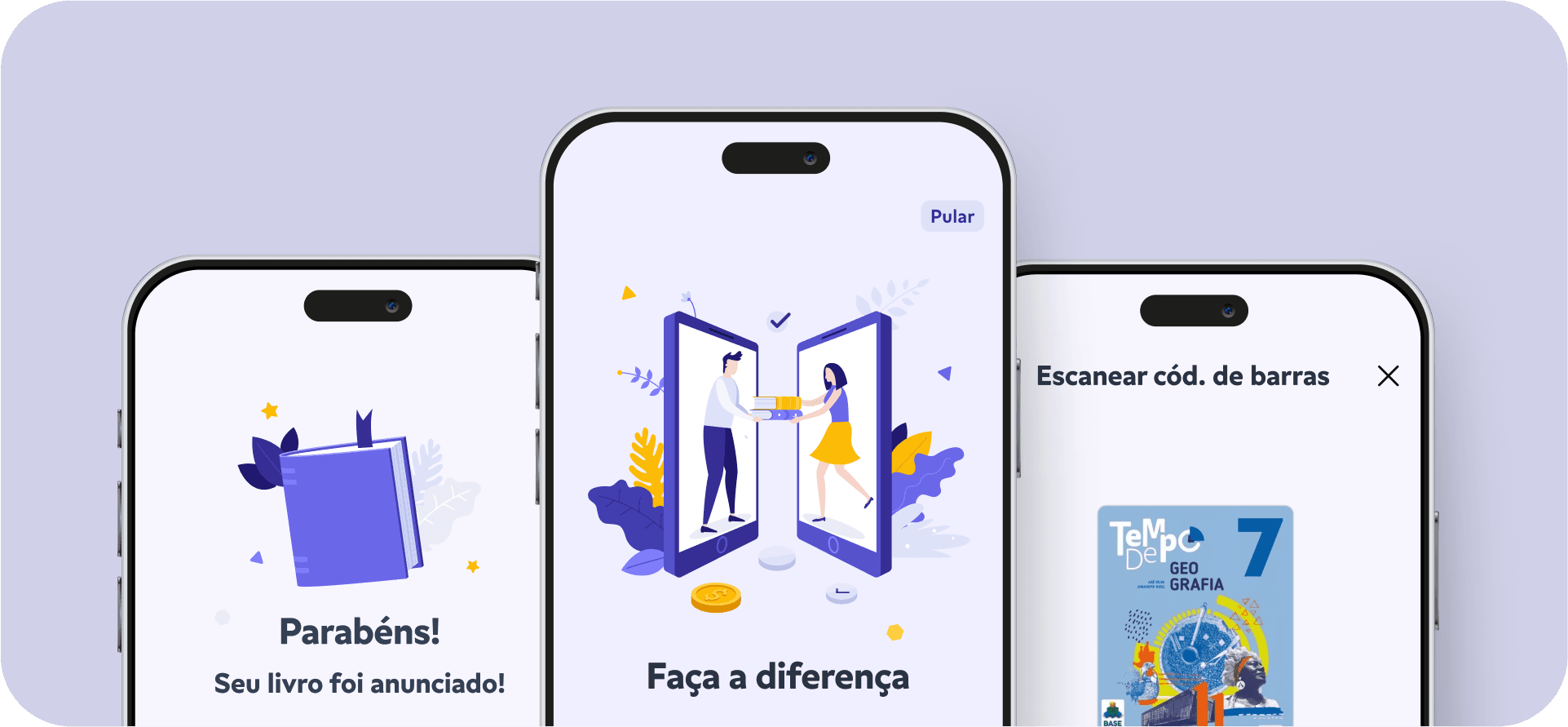
App that connects parents to exchange used school books through a "match" between a list of books.
App
Product Design
Figma
I look
Notion
2023
Challenges and Objectives
Every year, in January, I face the challenge of ensuring the children's school supplies, balancing costs and deadlines. The search for used textbooks, although economical, is always complex and time-consuming, requiring time both to find copies in good condition and to sell those that have already been used.
Faced with this difficulty, I saw the opportunity to create an app that connects families to exchange used school books in an accessible and sustainable way. Users register a list of books via ISBN, and the system prioritizes connections based on the number of books and proximity, facilitating the exchange.
Function
As a Product Designer, I was responsible for the entire product design process, from initial research and defining features, designing interfaces to prototyping and user validation. My focus was to ensure an intuitive solution aligned with the real needs of parents, promoting not only savings but also a positive social impact.
Context
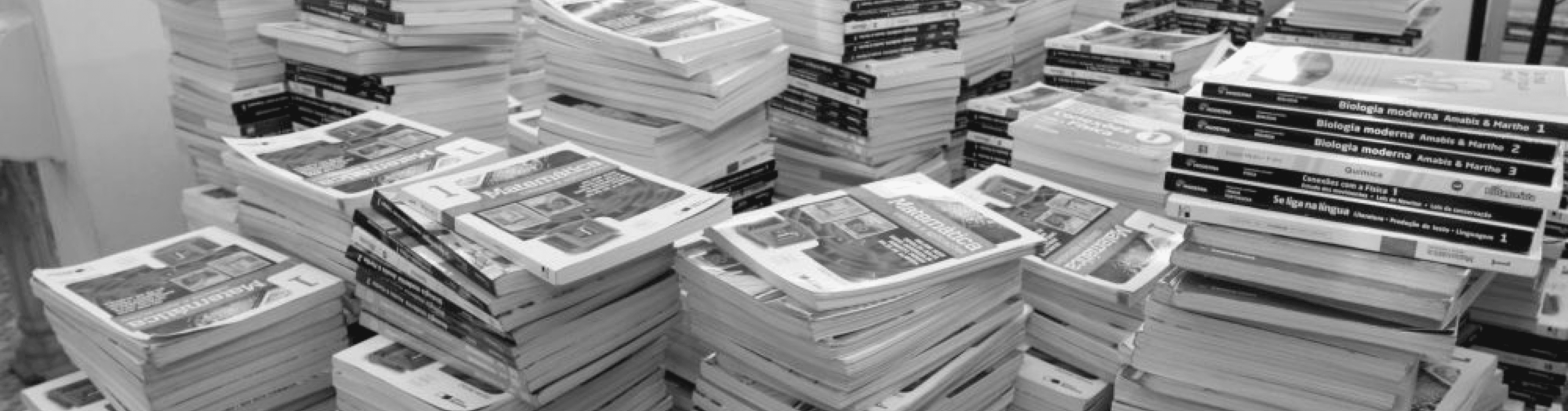
Every new school year, parents of students in private schools face the high cost of school supplies and textbooks.
Although some try to save by buying or selling used books, they face difficulties due to the lack of encouragement from schools and disorganization within parent groups.
As a result, many books that could be reused by other students end up being discarded.
Challenge
The design challenge is to create a solution to make the sharing of used school books easier and more accessible.
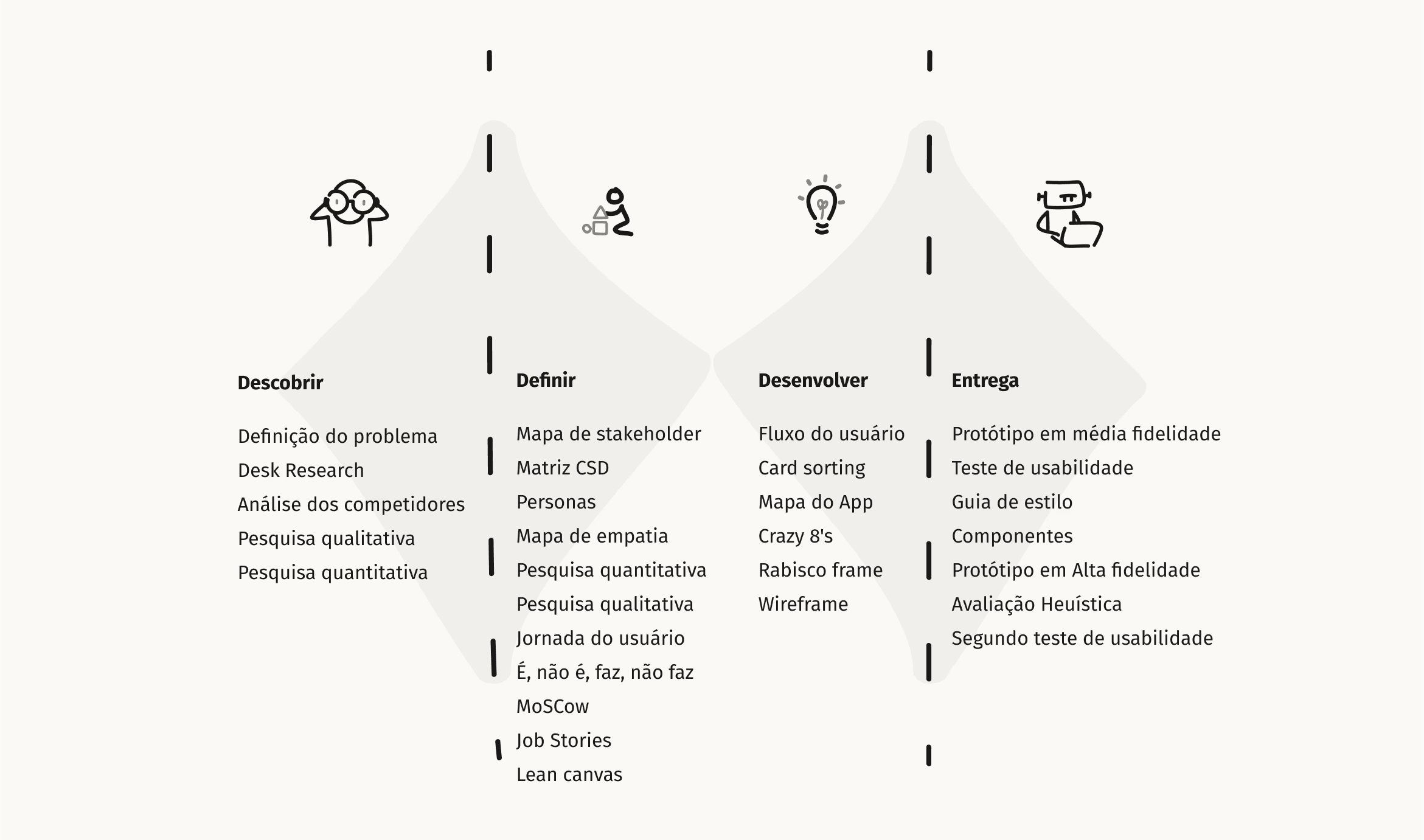
To structure the problem and develop the solution in an organized manner, I used the Double Diamond methodology, ensuring a user-centered and research-based approach.
The Journey
Understanding the Current Scenario
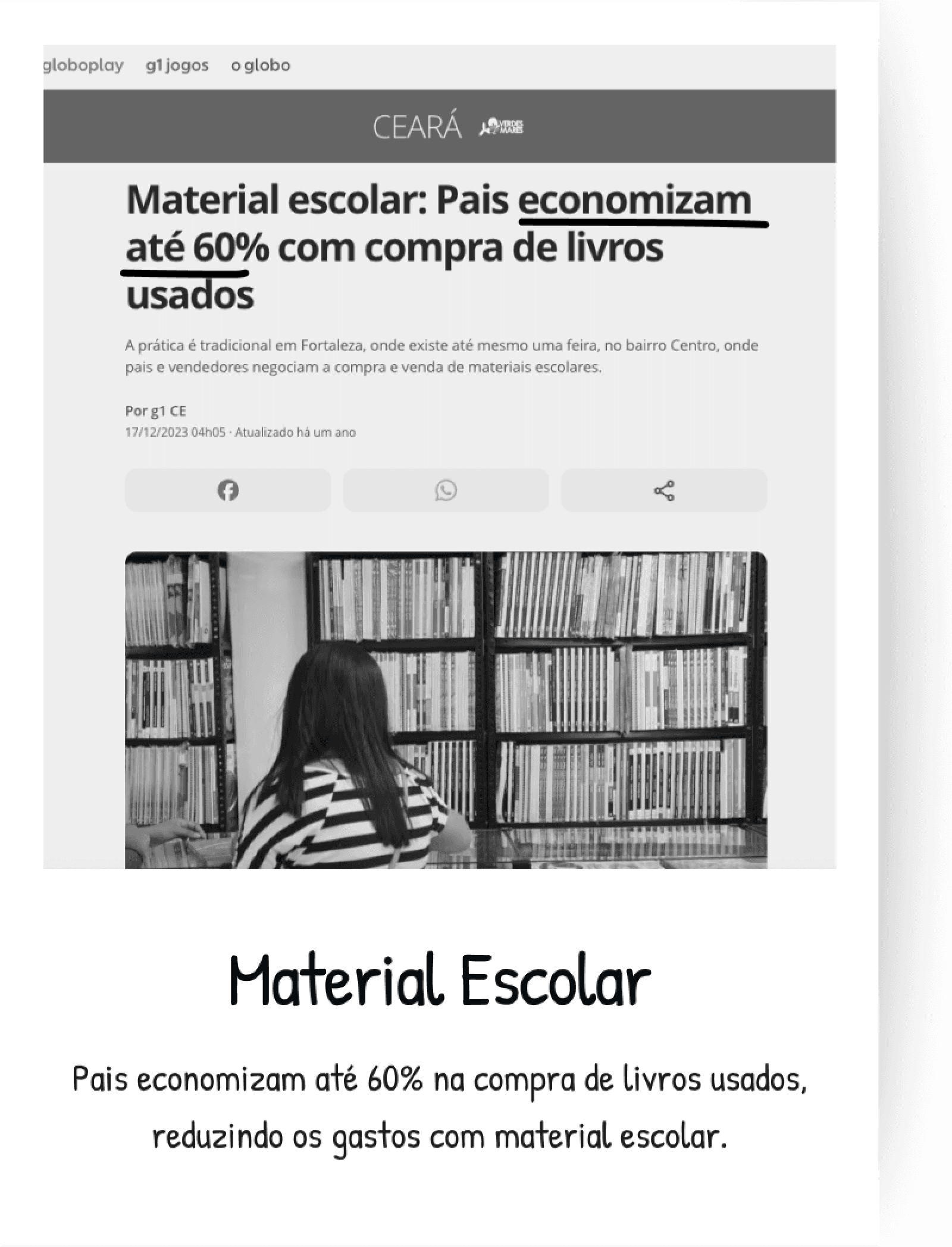
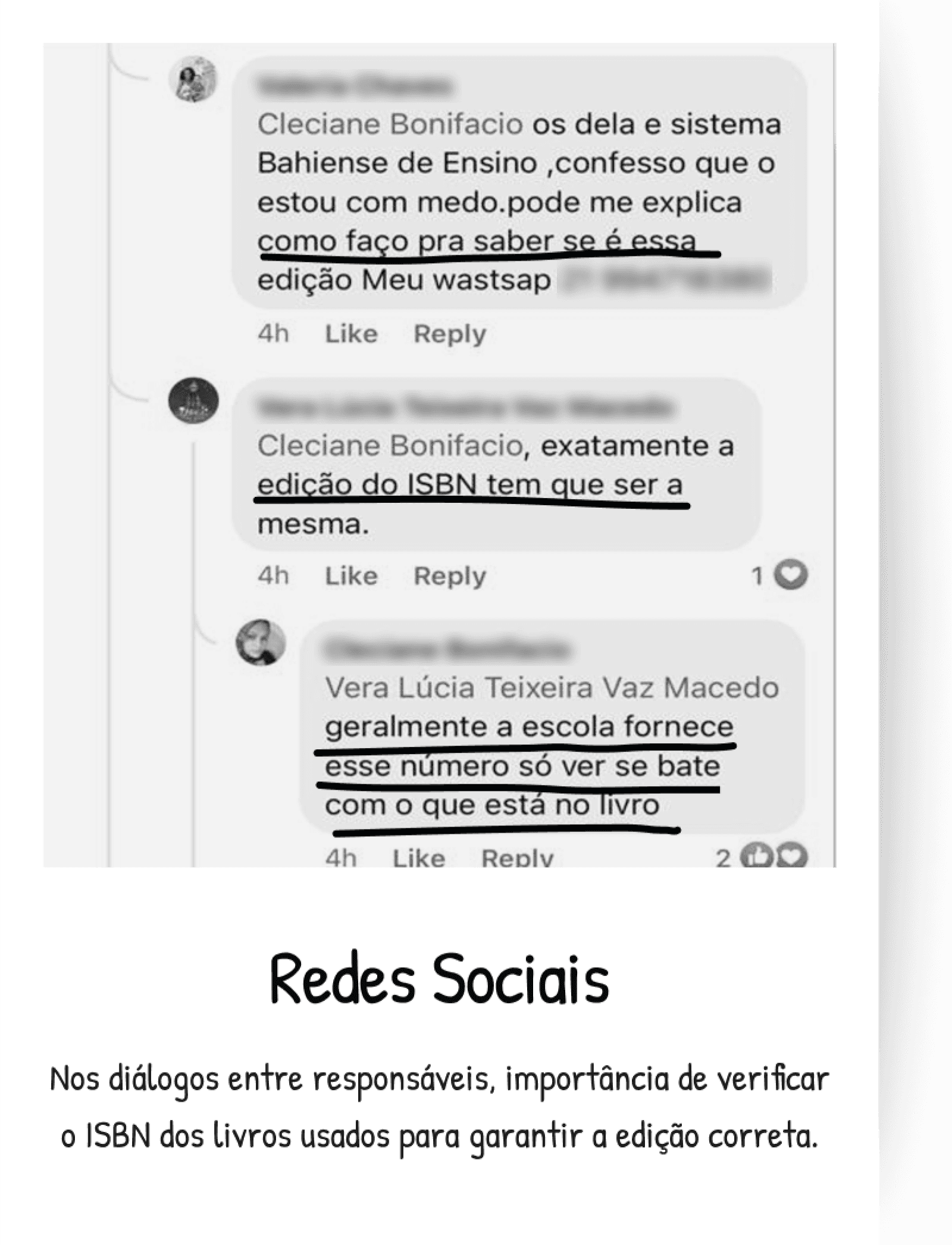
To better understand the context of the problem, I conducted a research on the internet, in WhatsApp and Facebook groups and on news sites about used school books.
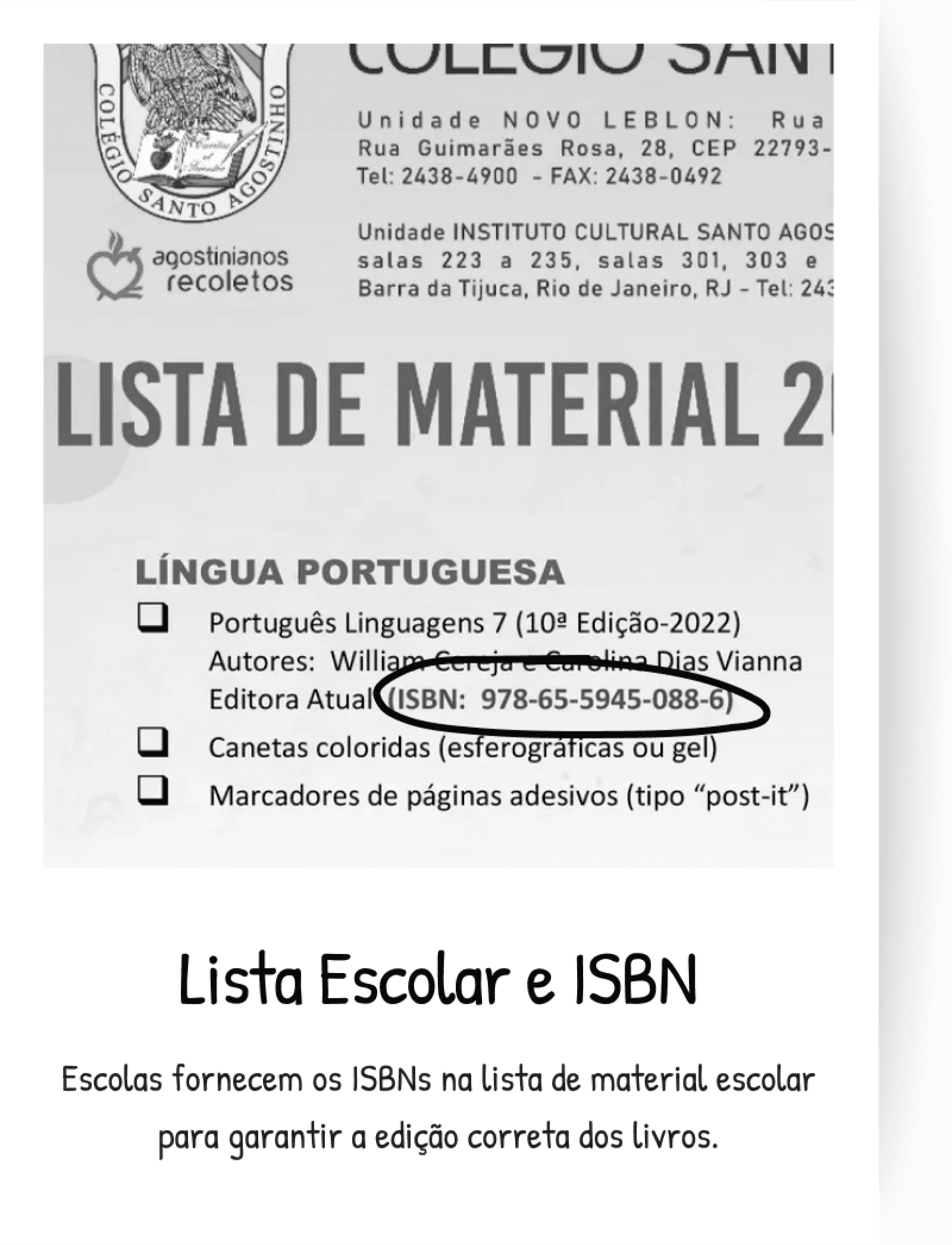
In the groups, I discovered the importance of checking if the ISBN number of the used books corresponds to that of the school supply list, as editions are updated every two years. When analyzing the school lists, I noted that, in addition to the title and the author, the ISBN number is also provided.
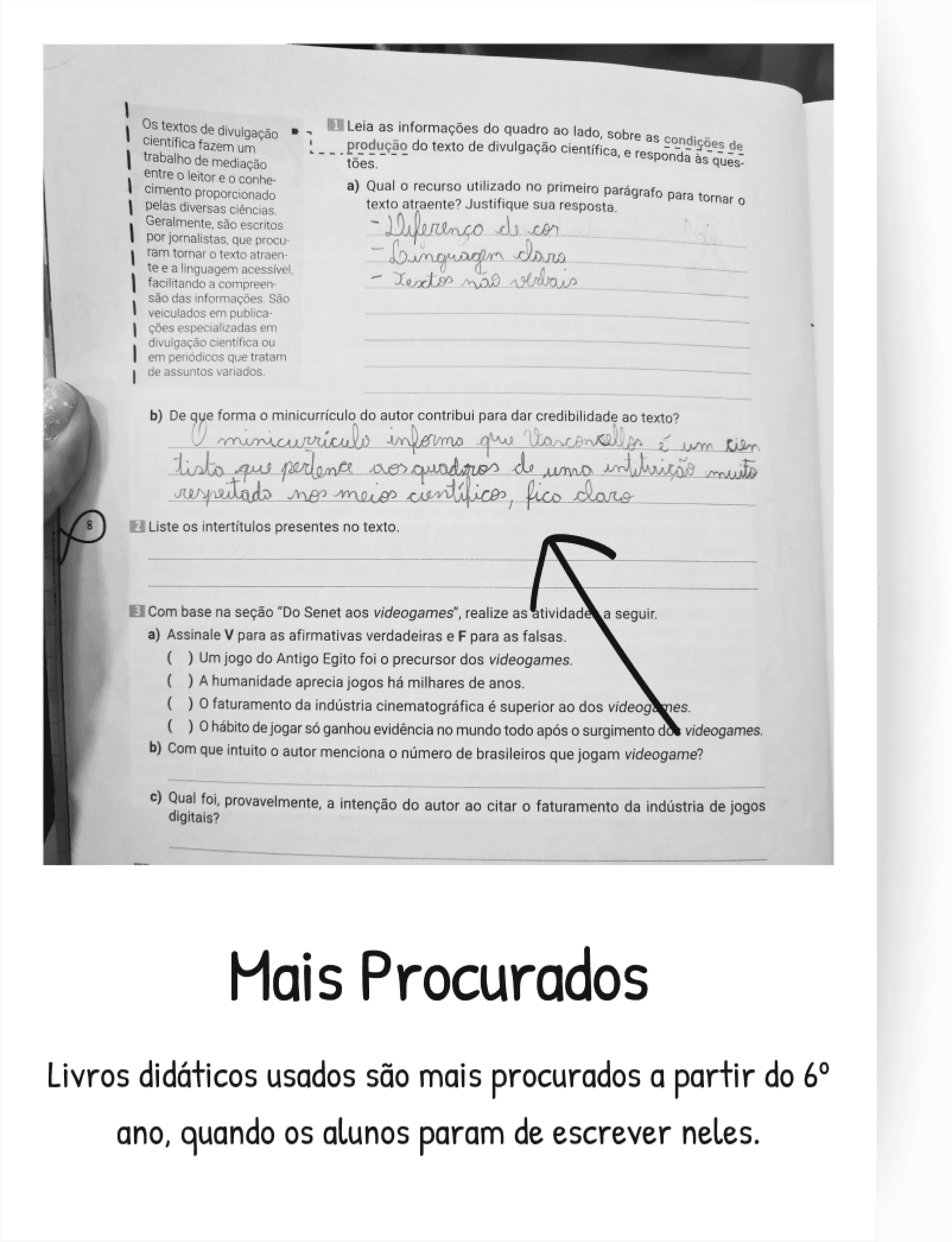
In the news, I found out that used textbooks are more sought after starting from 6th grade, when students, starting at the age of 11, stop writing in them. This helps to define the target audience as families with children between 11 and 18 years old.
Identifying User Needs, Pain Points, and Preferences
To better understand the problem and avoid assumptions, I investigated the profile of future users, their needs, pains, and motivations. I conducted online surveys for parents of 8th-grade students in private schools in Rio de Janeiro, obtaining 40 responses, and I carried out qualitative interviews with five mothers of students aged 13 to 17.
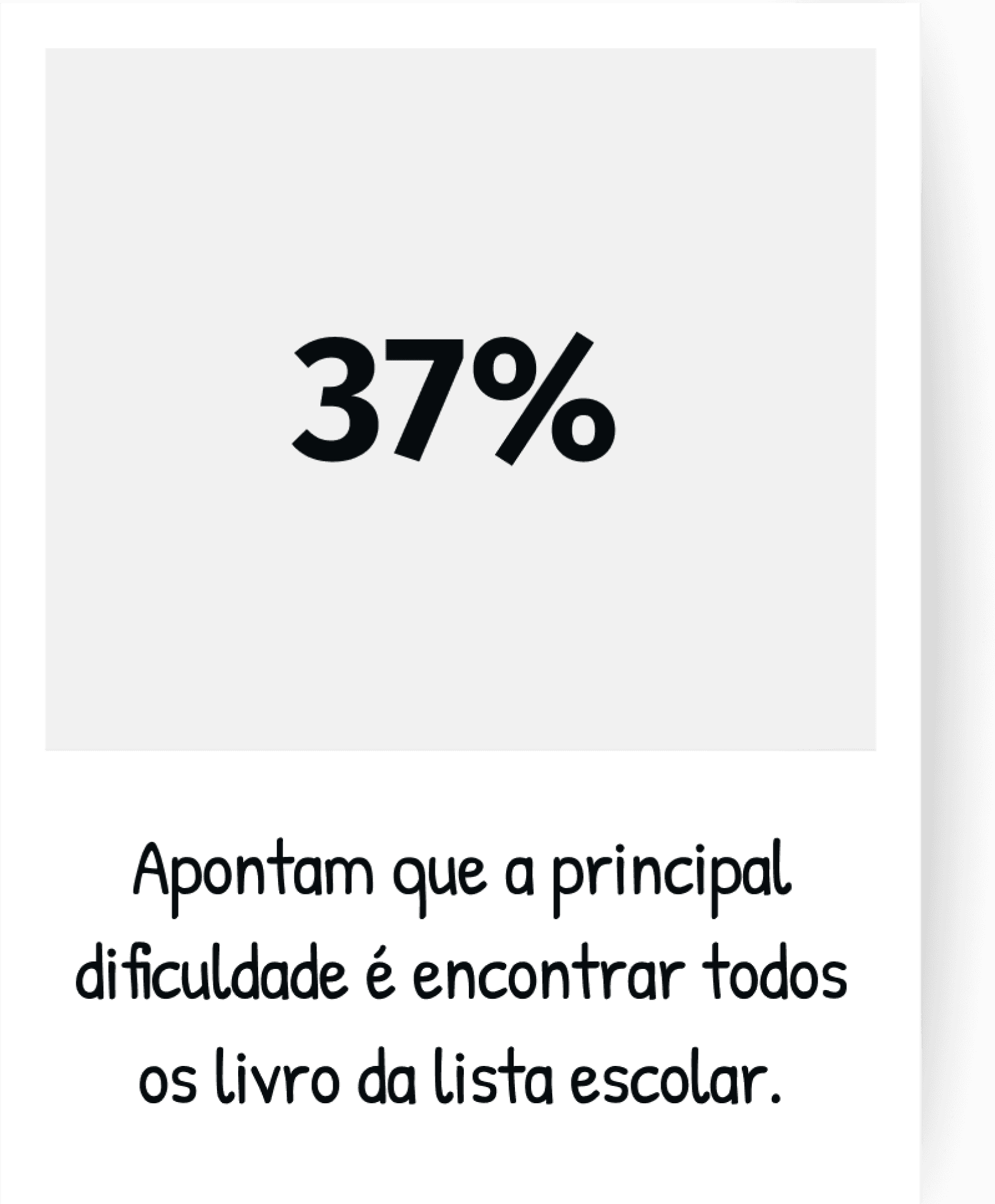
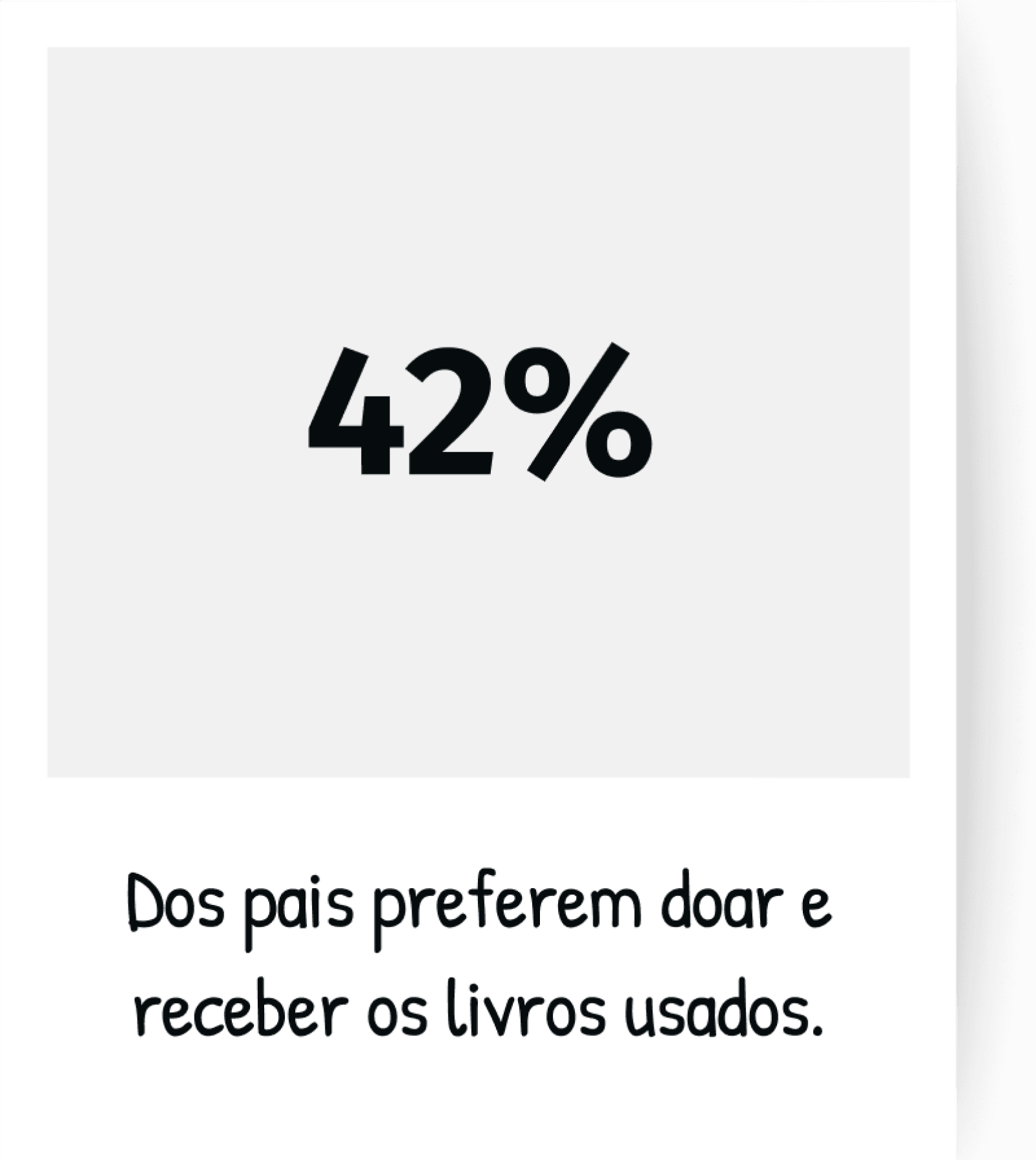
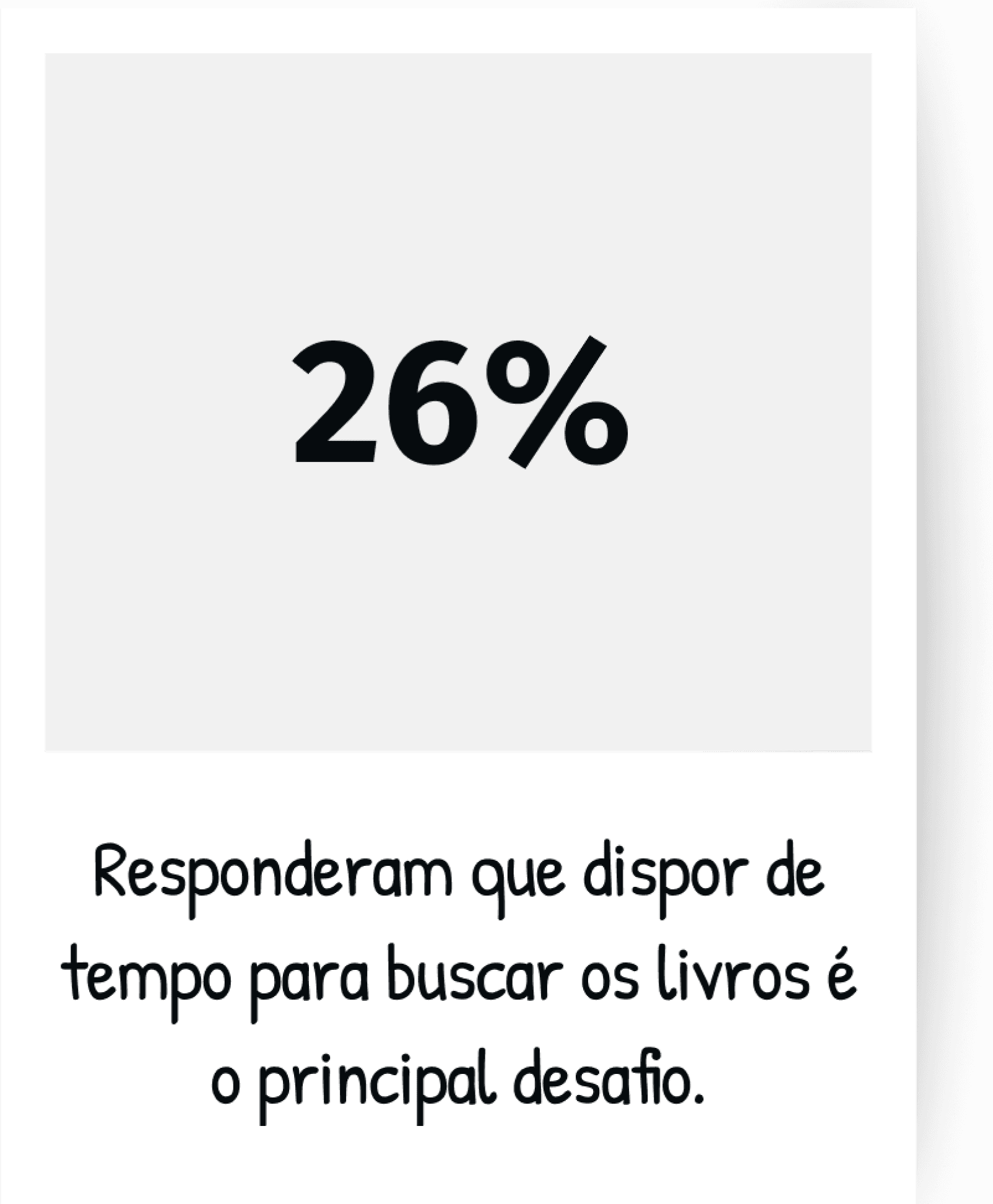
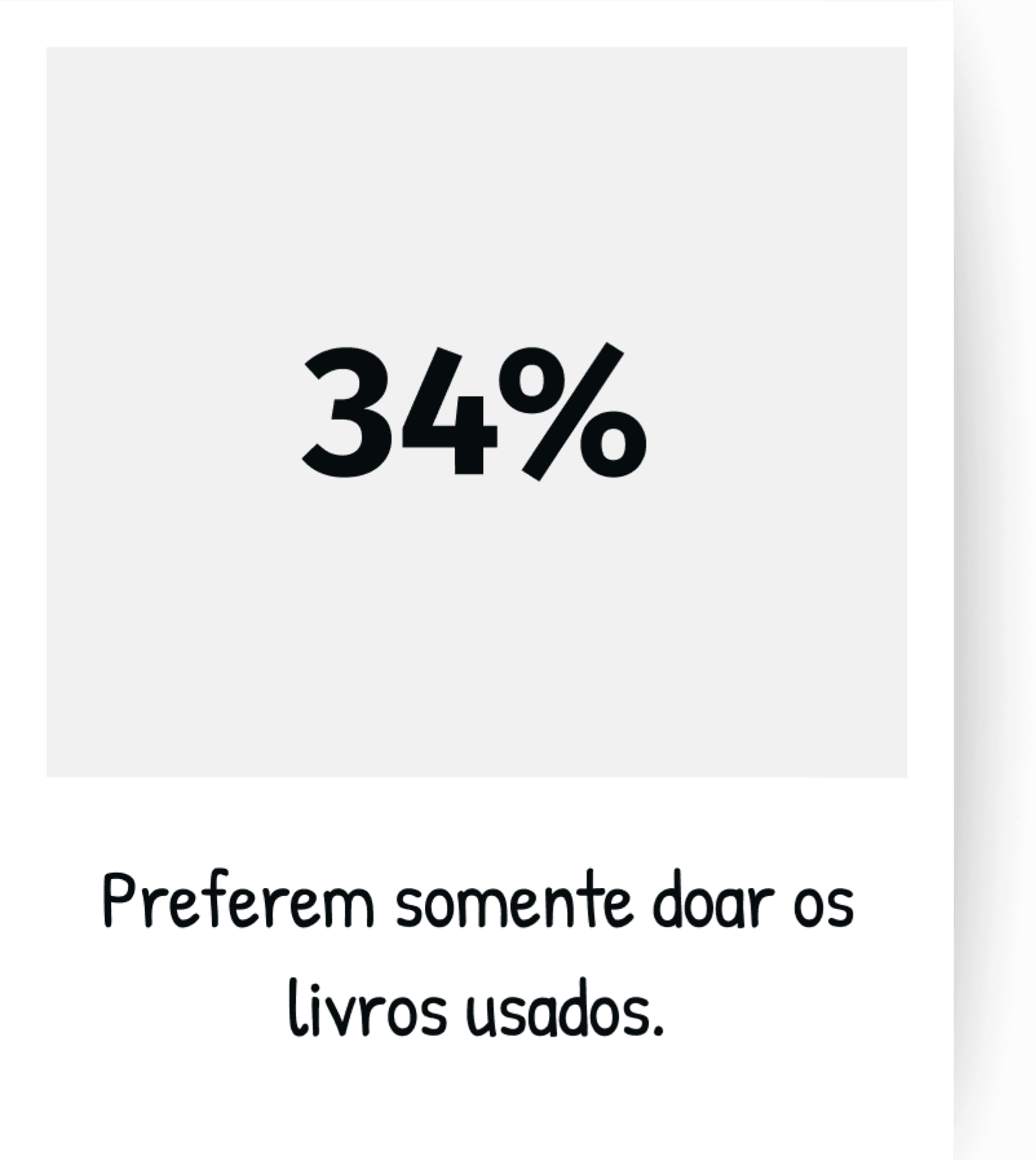
To my surprise, the data revealed that the majority of mothers prefer to donate and receive books without having to negotiate prices. However, they face difficulties in finding all the necessary copies. Furthermore, the time spent negotiating and searching for books with various people becomes a demotivating factor.
How People Shaped the Solution
After researching with users, it became evident that different profiles had distinct needs and motivations regarding the exchange of school books. To synthesize these insights and ensure that the solution met the real demands of the target audience, I set out to build the personas.
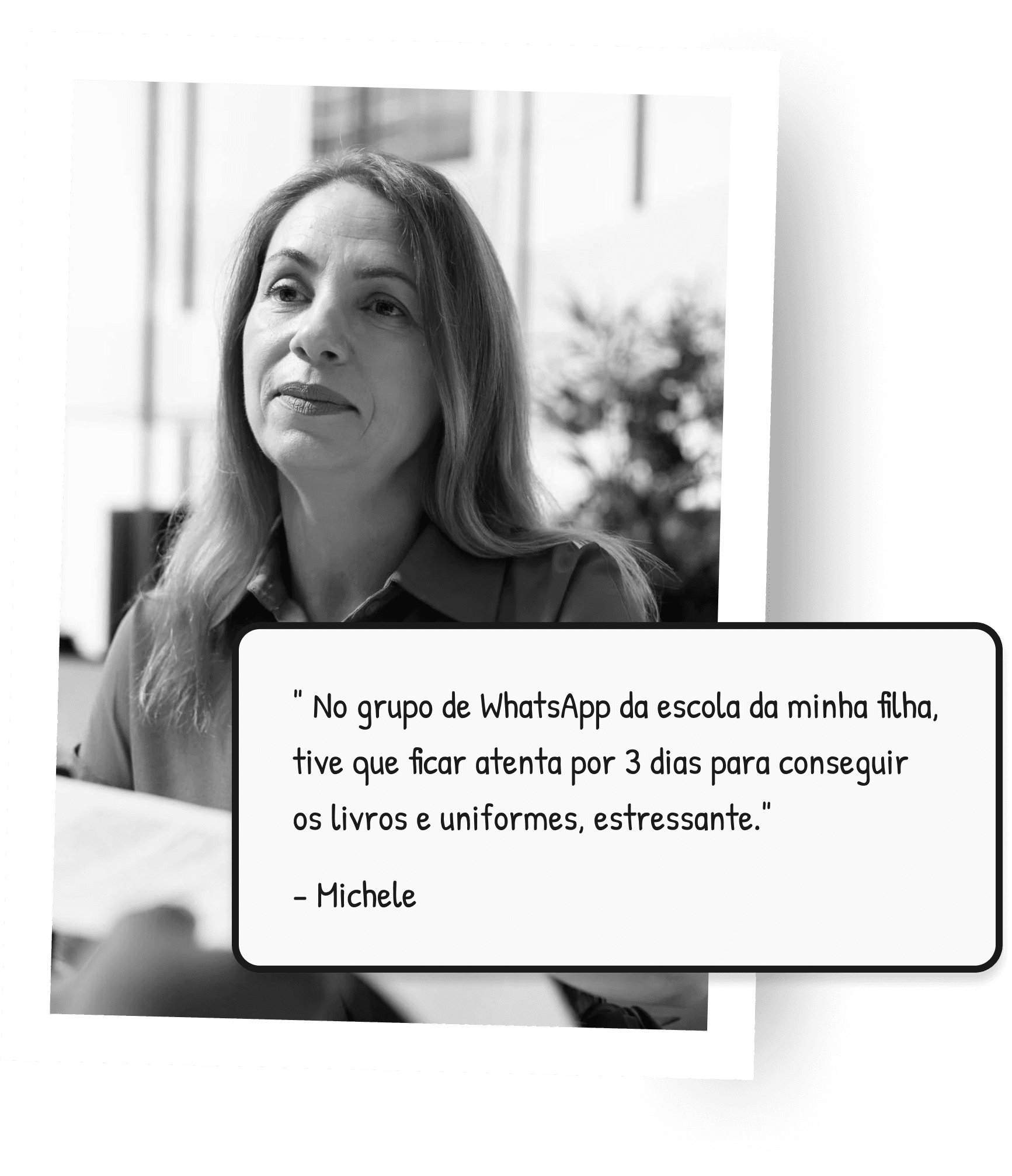
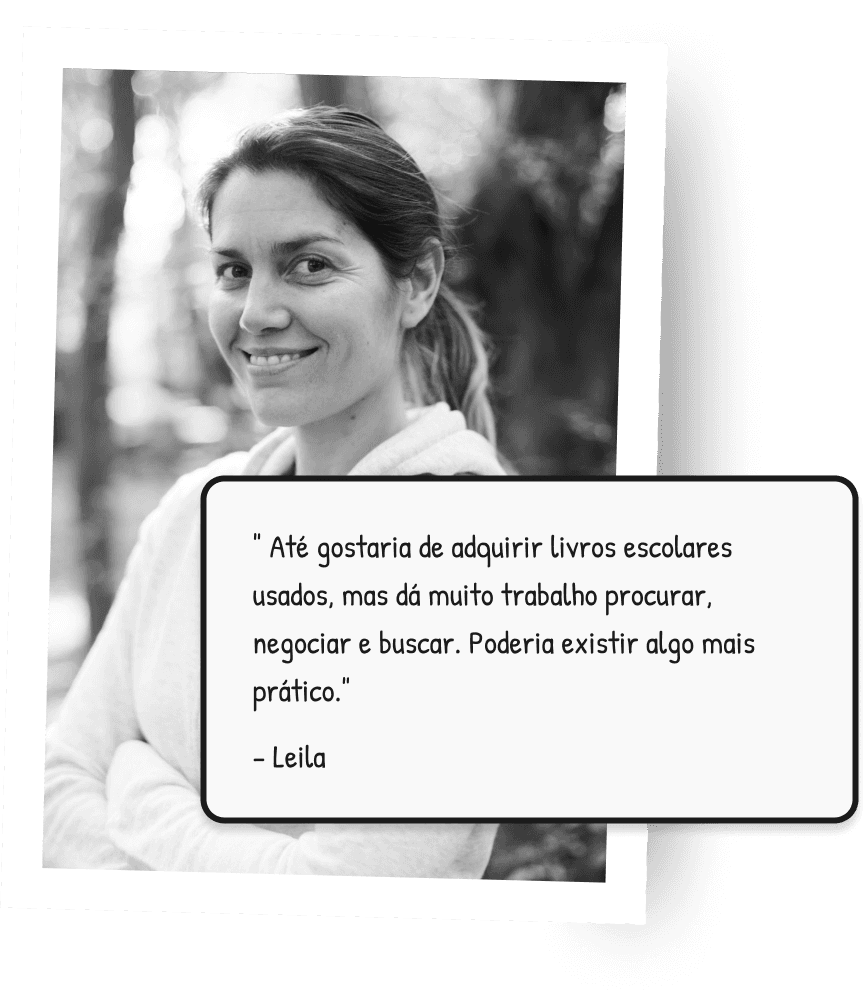
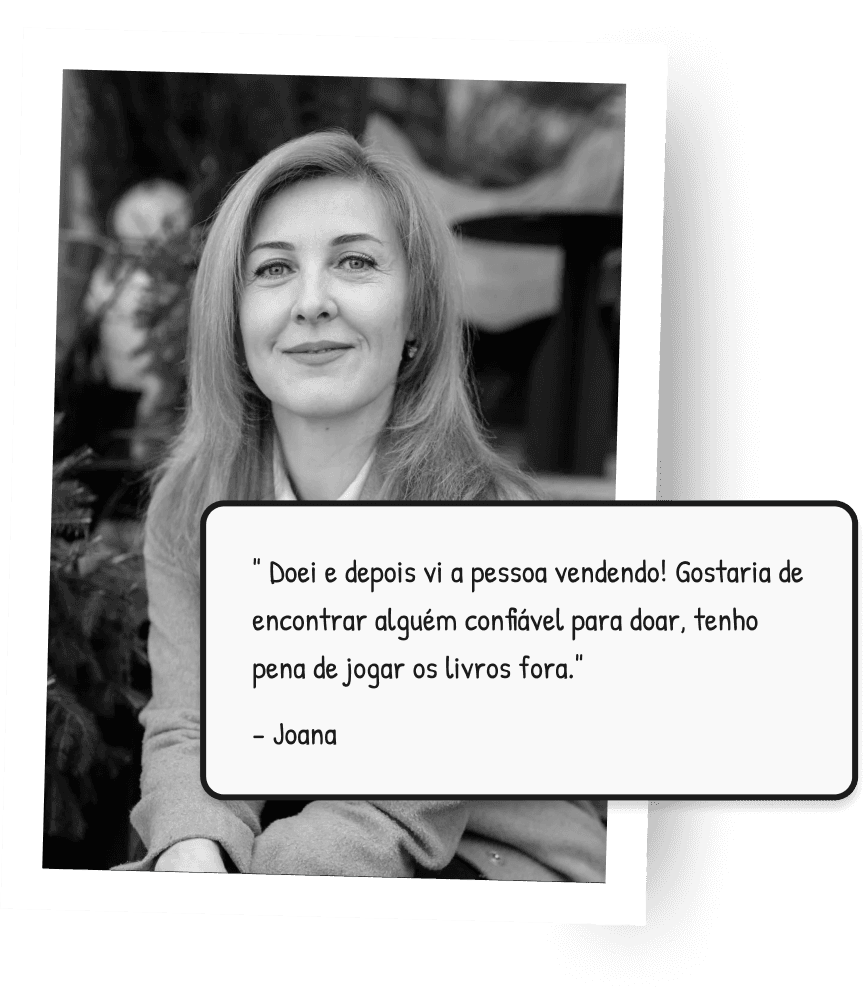
Based on the collected data, I built three main personas:
Pains
Cannot keep up with the used book WhatsApp groups from school and miss opportunities to get all the books.
Insecurity in acquiring old editions, and books in terrible condition.
Objectives
Find and obtain all the necessary books without having to constantly monitor the WhatsApp groups
Ensure that the acquired books are in the correct edition and in good condition
Pains
Difficulty in organizing the pickup of the books.
Discomfort with the negotiation of prices for used books.
Objectives
Pains
Fear of being deceived and donating books to someone who wants to take advantage of your kindness and sell them
Objectives
Ensure that the donation of books is made in a safe and reliable manner
User Journey and Opportunity Prioritization
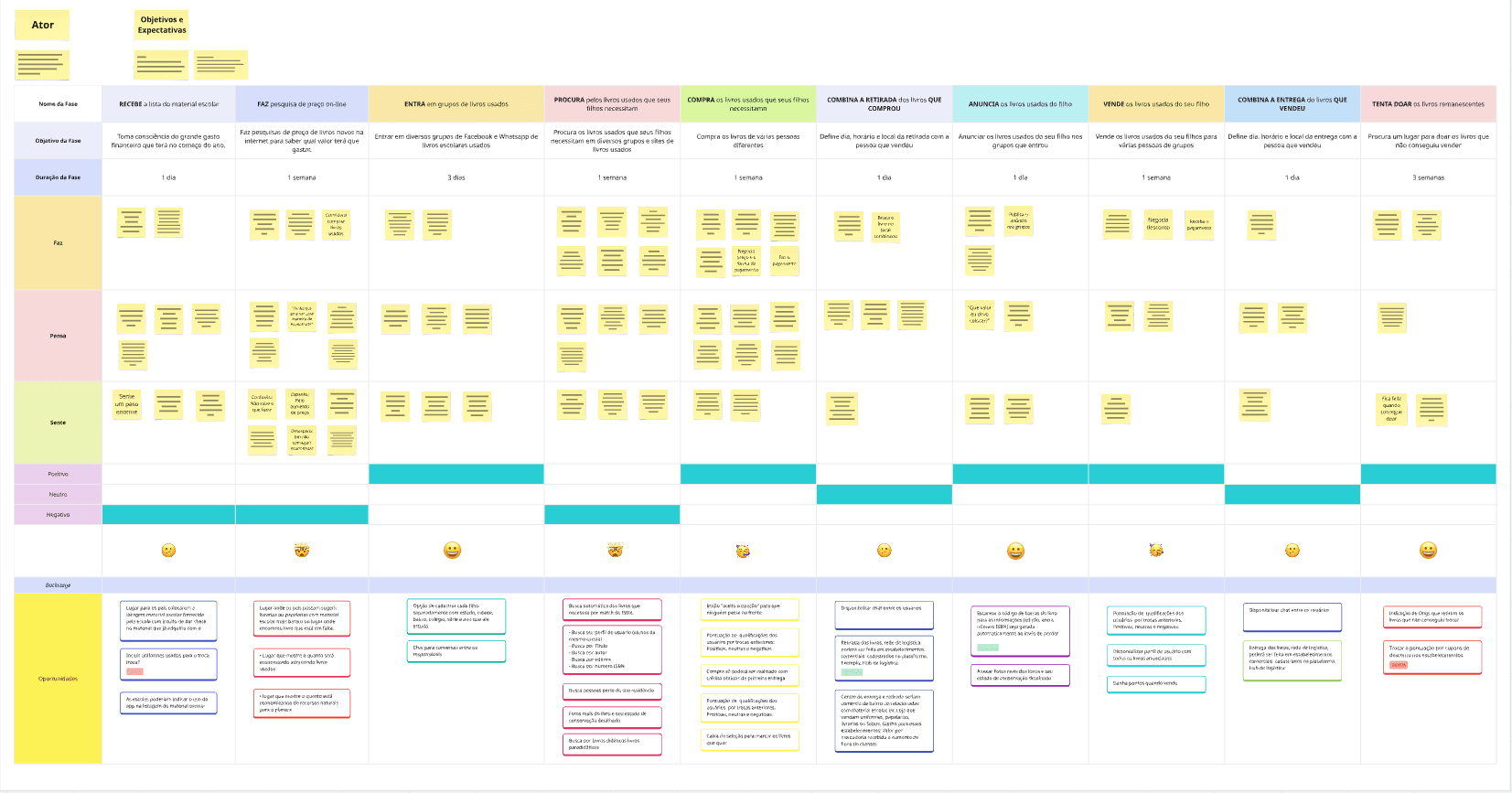
The user's journey sought to understand the experience of a mother buying and selling books in a WhatsApp group, highlighting challenges such as the lack of a specific network for school exchanges. The process involves searching, negotiating, verifying the material, and traveling, becoming repetitive, tiring, and even more complex for mothers with multiple children.
By mapping users' pain points, I identified opportunities to enhance the solution. I used the "Yes, No, Does, Does Not" approach
to create a more efficient product than merely selling books. I opted for book donations among mothers to make the process faster, promote conscious consumption, and strengthen the idea of a community that shares school books.
Using the MoSCoW method, I prioritized solutions with the greatest impact, discarding ideas that did not align with the development of the MVP.
What I Learned from the Competition

The major players in used products (OLX, Mercado Livre, Enjoei, and Facebook Marketplace) focus on the search for individual products, without offering searches for lots of books. However, features such as seller ratings, viewing nearby sellers on the map, and meeting preferences are strong points that can be adapted and enhanced in the solution.
WhatsApp and Facebook groups, although popular for exchanging books, do not offer specific search functionalities, forcing users to rely on daily postings and to stay "vigilant" not to miss opportunities.
The advantage of WhatsApp and Facebook groups is that they facilitate the announcement of batches of books from the same school, which helps parents, as the list of books from schools tends to remain constant.
Below is an analysis of the Facebook Marketplace platform:
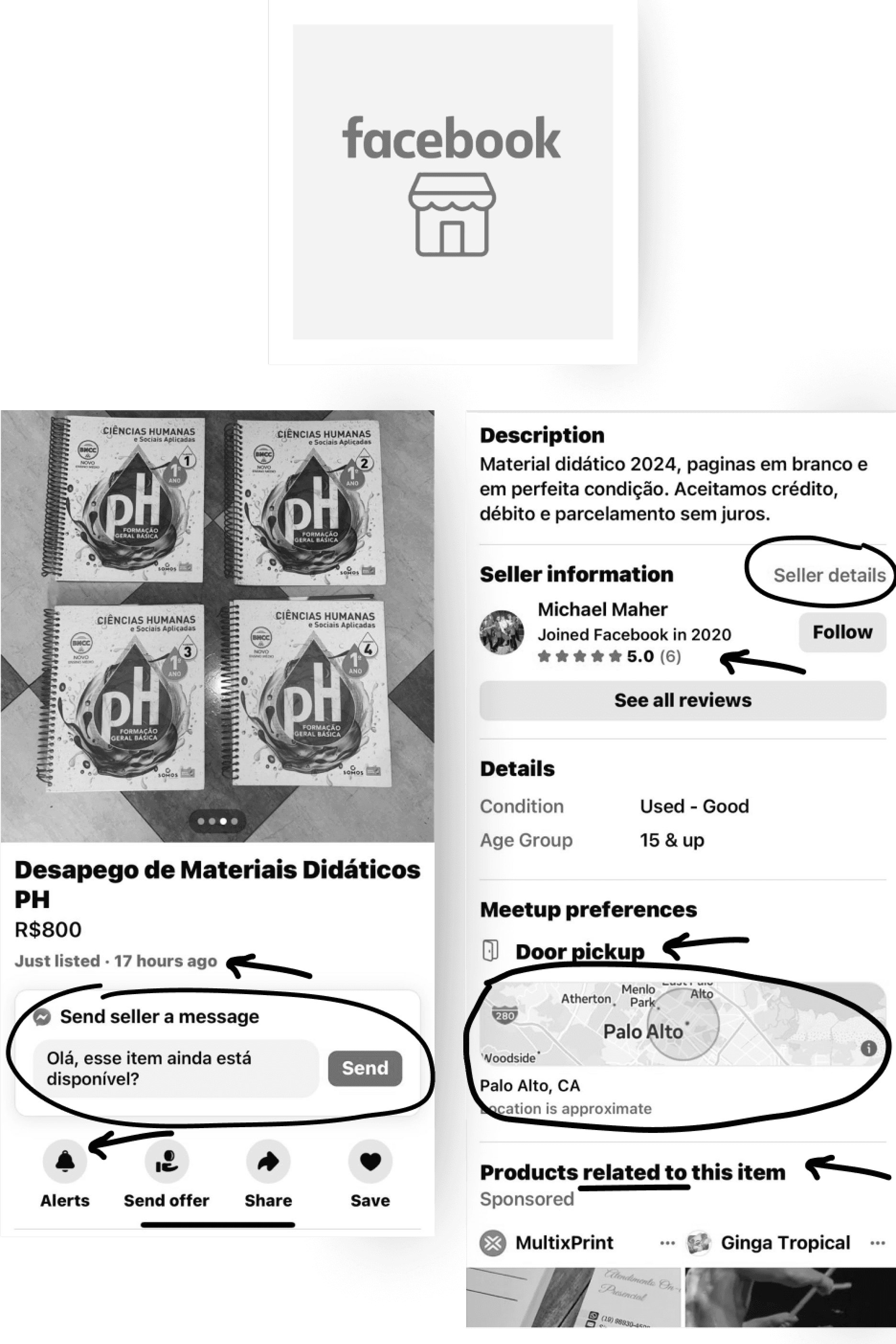
Strengths
Creation of alerts for similar items
Chat with predefined message between seller and buyer: quick and direct
Seller profile with ratings and details of all listed products
Viewing of map with nearby sellers, and meeting preference
Suggestion of similar items and new ones (sponsored)
Weak Points
Not targeted towards books
Does not have search for specific books, such as editions from certain years or ISBNs
Does not perform batch search of products
Defining product features based on Real Needs.
I used Job Stories to better understand the users' desires, anxieties, and motivations, which allowed for a more accurate ideation of the main product requirements.
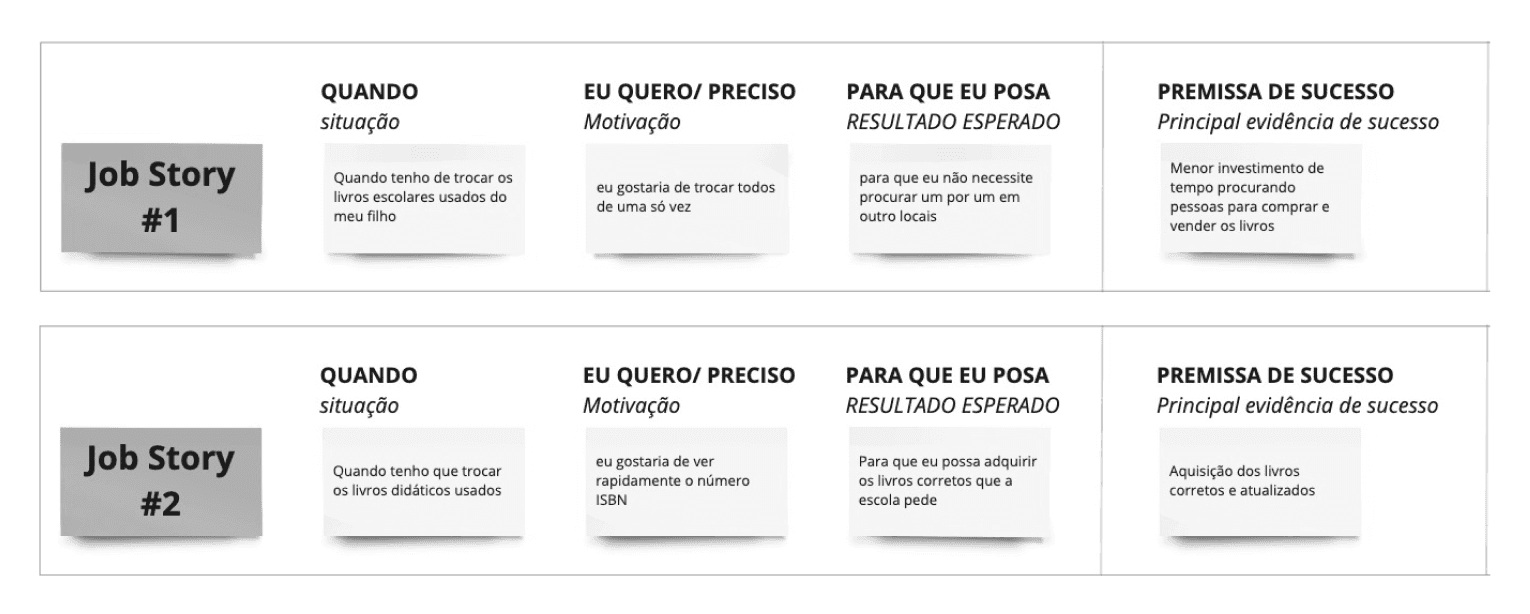
Main Feature
Allow users to register the ISBNs of the desired books so that they can automatically view the people who have the corresponding books and are located near their residence.
Setting Clear Paths for Each Type of User
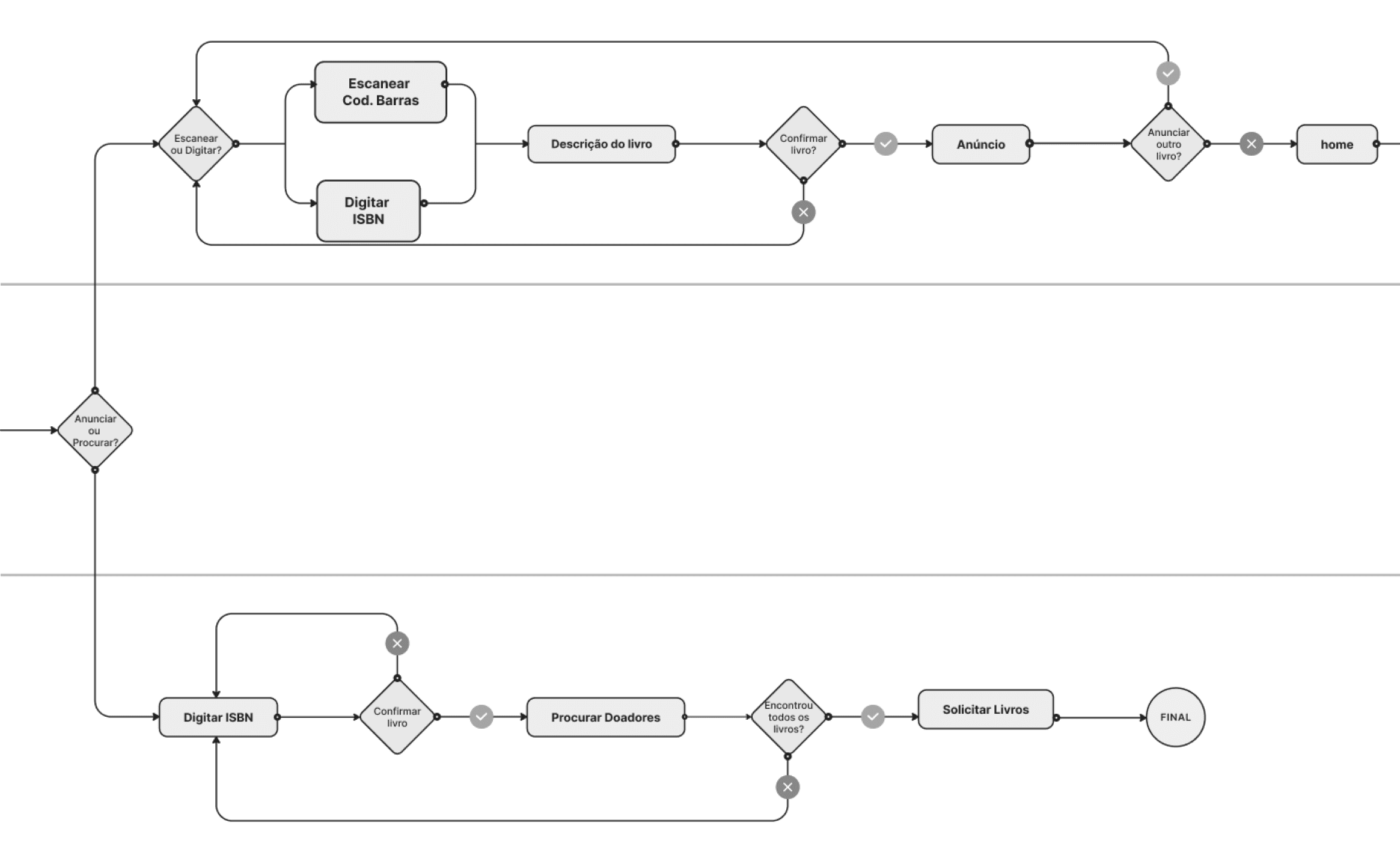
To ensure a smooth experience, I mapped out two main user flows: one for those who want to advertise books and another for those who are looking for available copies. This process helped to structure the interactions in an intuitive way, ensuring that each user profile could achieve its goals with ease.
Based on this mapping, I structured the navigation through an affinity map, grouping related functionalities and organizing menus according to the mental model of users. This way, the experience became clearer, more efficient, and aligned with the expectations of the target audience.
Below is part of the user flow diagram.
High Fidelity Prototype
After defining the style guide and designing the components, I prototyped the high-fidelity screens in Figma, ensuring a more intuitive experience that aligns with parents' expectations when searching for and donating used textbooks.
Register books sought by ISBN.
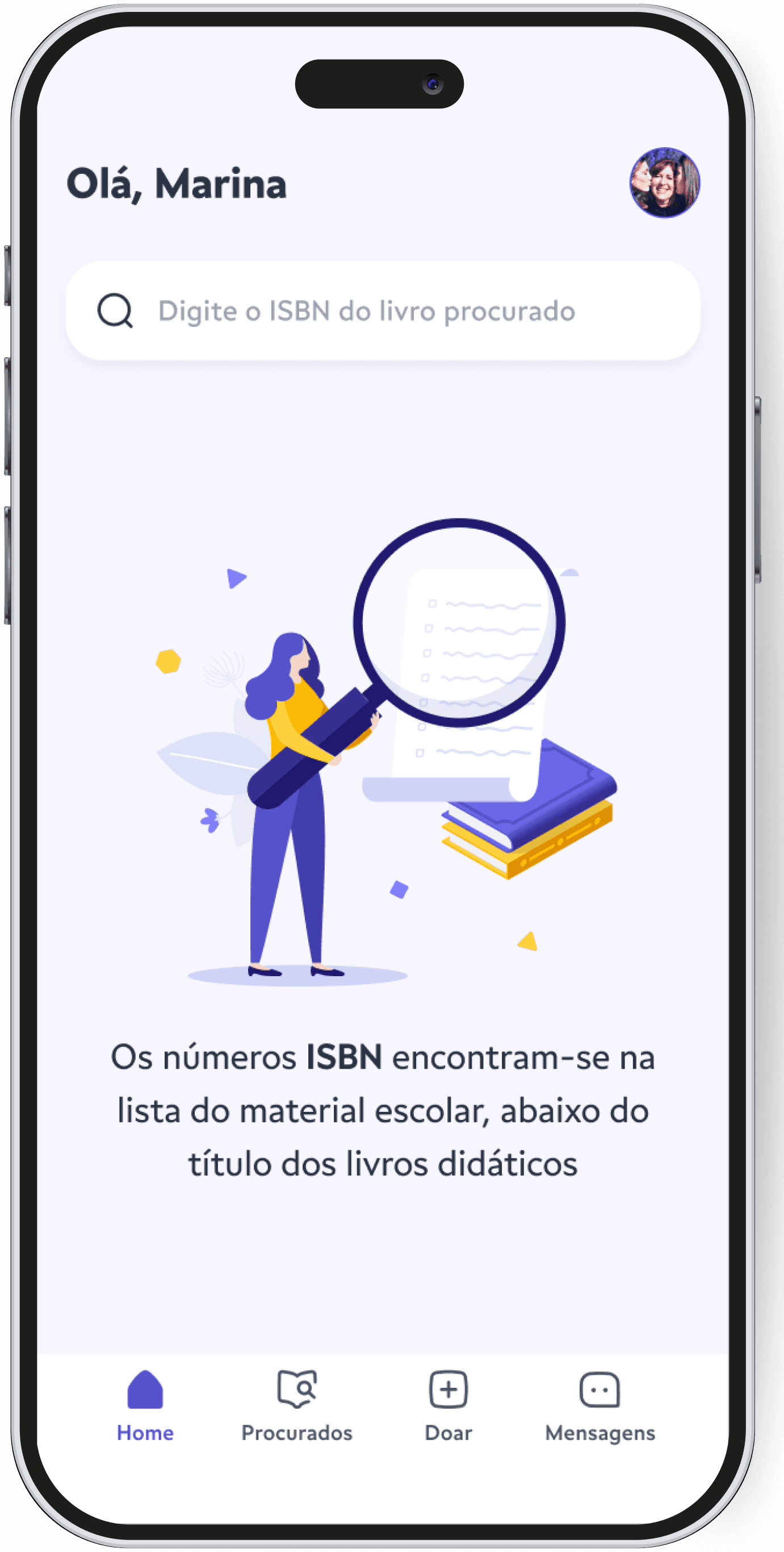
With the school supply list in hand, the user types the ISBN of the book.
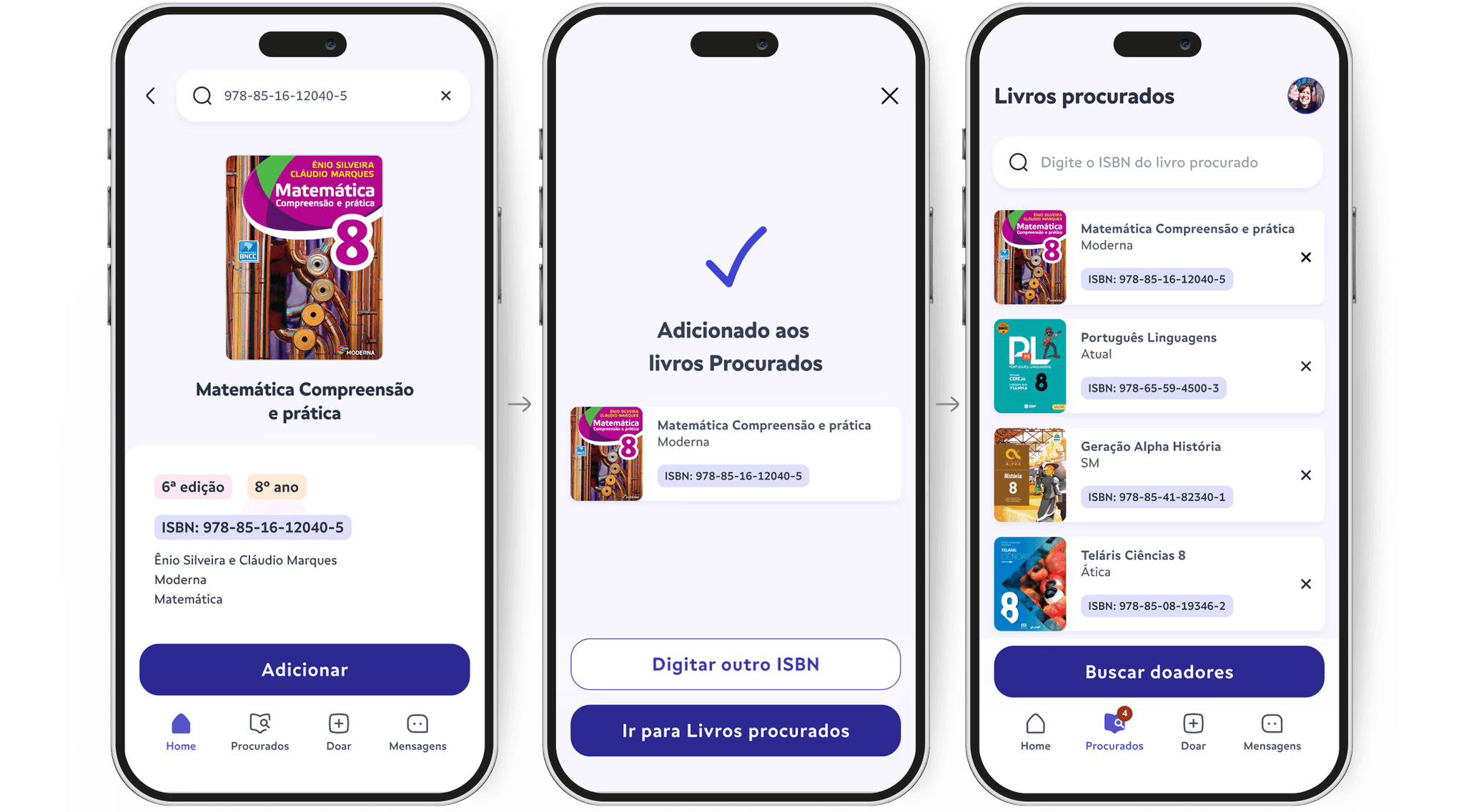
Title and Edition Confirmation
Check the details of the work and add it to "Wanted". Each book is registered individually to create a list of wanted books.
System Confirmation
The system confirms that this title has been added to the "Wanted Books" list.
The user can search for another title or go directly to the "Wanted Books" list.
Search for Donors
After registering all the works, the user searches for donors who have the books he is looking for.
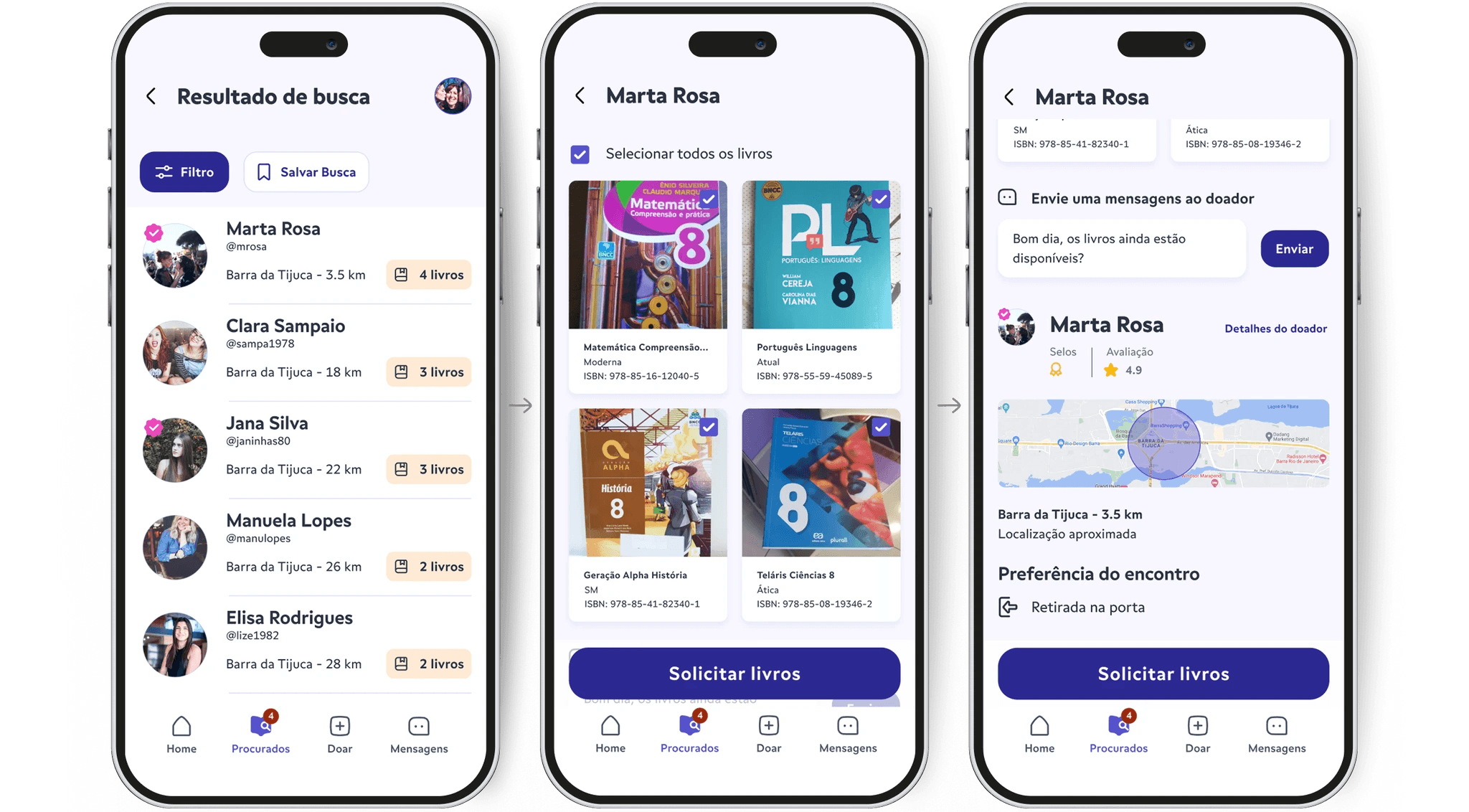
Search Result
The result shows donors who have the largest quantity of the requested books near their residence.
With the filter, it is possible to direct the result to people who are nearby or to the most recent publications, as well as filter by the condition of the book.
Request Books
The user analyzes the donor's profile, views the books they have, sends a message, checks the meeting preference, verifies their location on the map, and requests the books that have been marked in the CheckBox.
Interaction Video "Match" list of books
Heuristic Analysis and Second Usability Test
The heuristic evaluation confirmed a good design, with few recommendations focused on searching for ISBN and the consistency of information. The second usability test, with the high-fidelity prototype, validated whether the registration and search for books via ISBN are intuitive and whether the flow meets the target audience. A report was generated with the analysis of the heuristic evaluation and the usability tests, including recommendations for refining the interface.
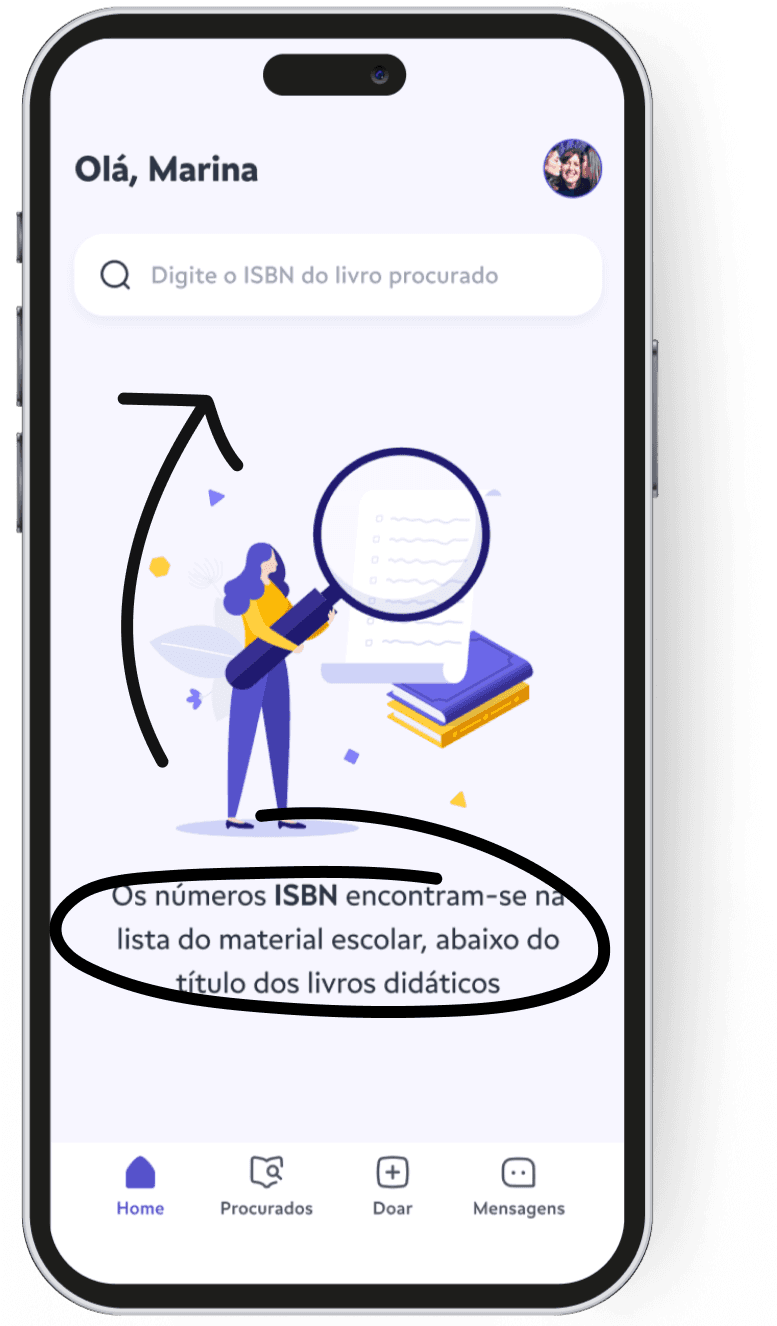
Problem 1
During the test, on the app's home page, most users were able to search for books using the ISBN number. However, none of them read the explanatory message below the illustration, which informs that the ISBN numbers can be found in the school supplies list provided by the school. Since there was an initial explanation about how the app works, none of the users had trouble typing the ISBN number.
Recommendations
- Move the message closer to the search bar so that the user can see it easily.
- To ensure that the user reads and pays attention to where to find the ISBN in the school list, it is recommended to include a brief explanation during onboarding or in a modal near the search bar.
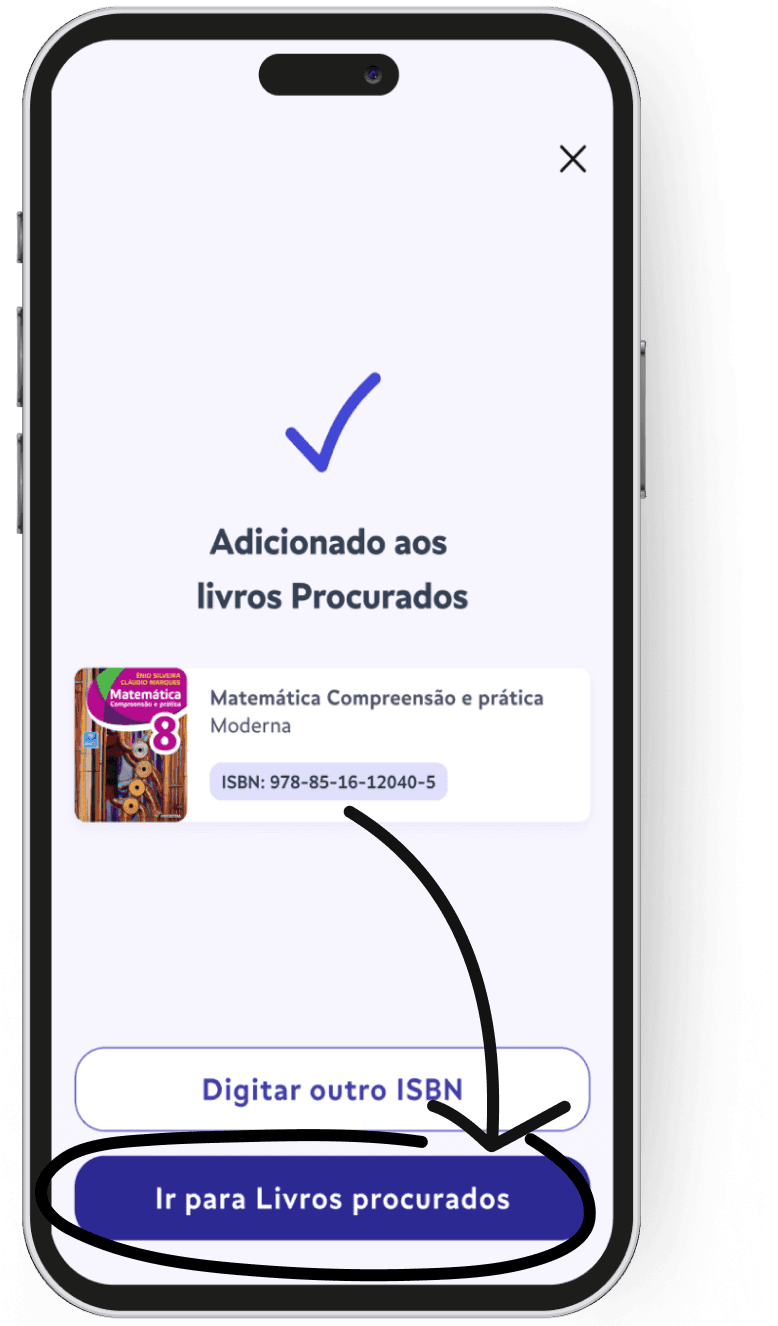
Problem 2
Upon adding the last book, users were confused by the label on the button “Go to Sought Books.” They did not understand that this meant going to the list of sought books, which caused confusion.
Recommendations
Create clearer and more understandable text for the button, so that the user understands they should go to the list of added books to seek out donors.
Key learnings
1
Challenge in Multiple Search – Creating an interaction to search for several items simultaneously was complex, as users are not accustomed to this type of search, which is uncommon in the market.
2
Data Prioritization – Filtering and prioritizing research insights was essential to focus on what really mattered in the construction of the MVP.
3
Iterative testing improves usability – Conducting tests with medium and high-fidelity prototypes, as well as heuristic evaluation, allowed us to identify and fix problems before the final development, ensuring a more intuitive experience.